> For the complete documentation index, see [llms.txt](https://docs.inopli.com/llms.txt). Markdown versions of documentation pages are available by appending `.md` to page URLs; this page is available as [Markdown](https://docs.inopli.com/response/knowledge-lists.md).
# Knowledge Lists
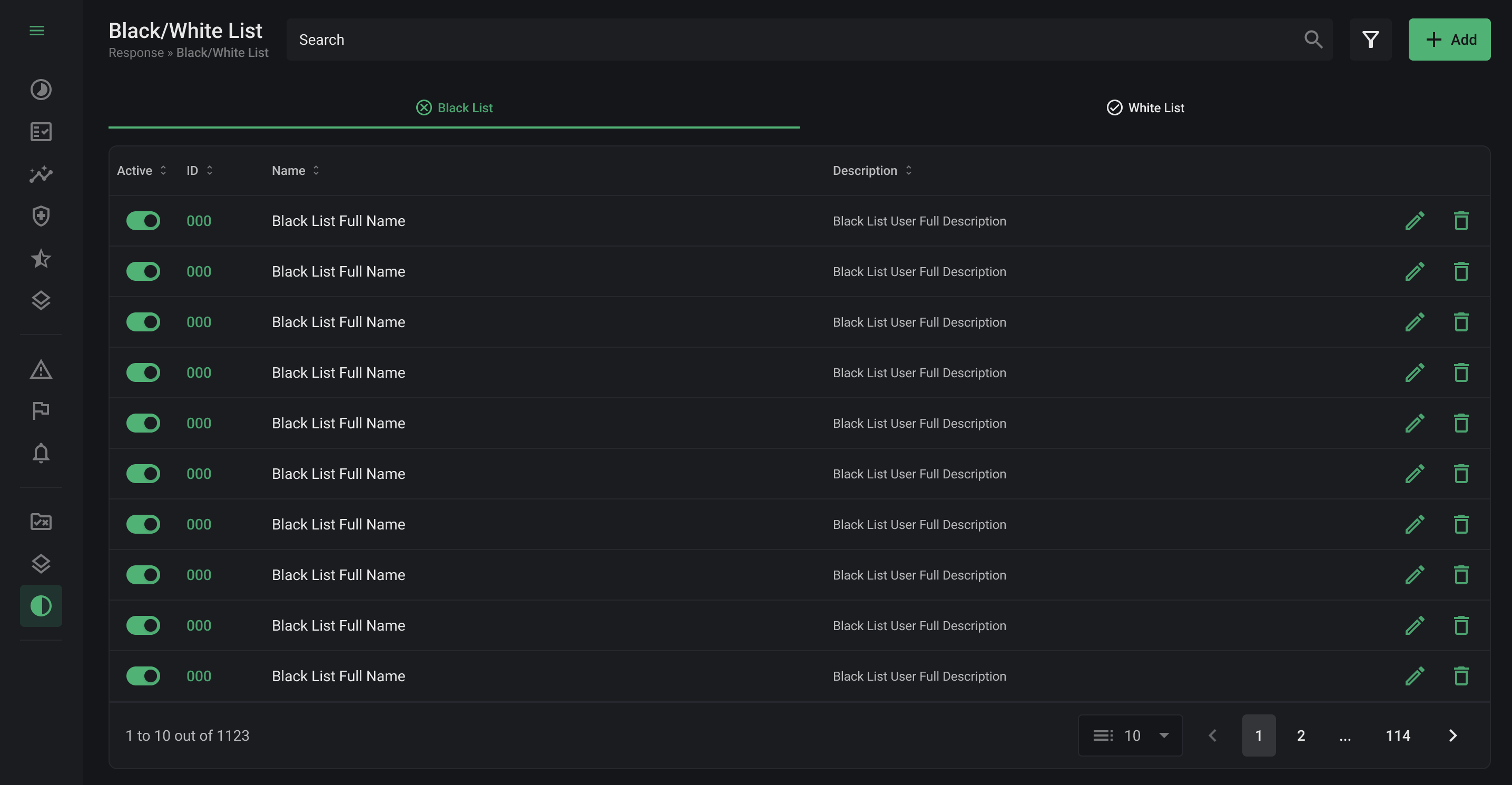
Knowledge Lists are essential for enhancing the processing of the alert engine, aiming to reduce false positives in an advanced and customized manner. In the user interface, it's possible to add, edit, filter, delete, and activate conditions as needed.
Overview Knowledge Lists
***
### White List
Prioritized in the handling of alerts, its purpose is to filter the information contained in the alerts. If an alert triggers a mechanism defined in the White List, it will be processed, otherwise, it will be discarded. This helps in identifying legitimate events, reducing interruptions caused by false alerts.
***
### Black List
Used to eliminate alerts that trigger any of its mechanisms. This list is effective in discarding alerts associated with events already known to be non-threatening or irrelevant, optimizing the efficiency of the monitoring system.
***
### Creating a List
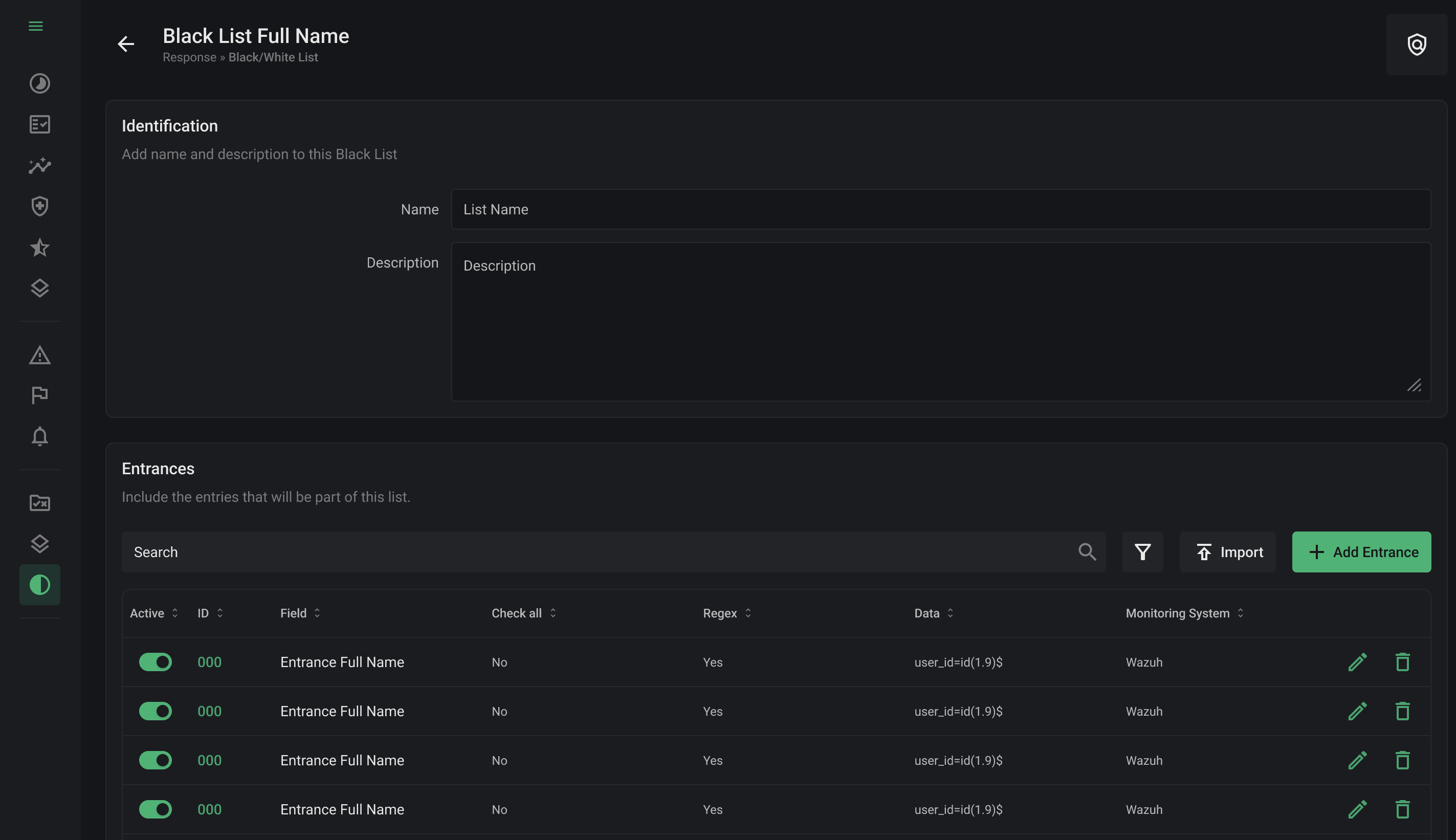
Both lists follow same creation process, with a form that includes a name, description, and a list of entries, which can be managed independently.
Creating a List
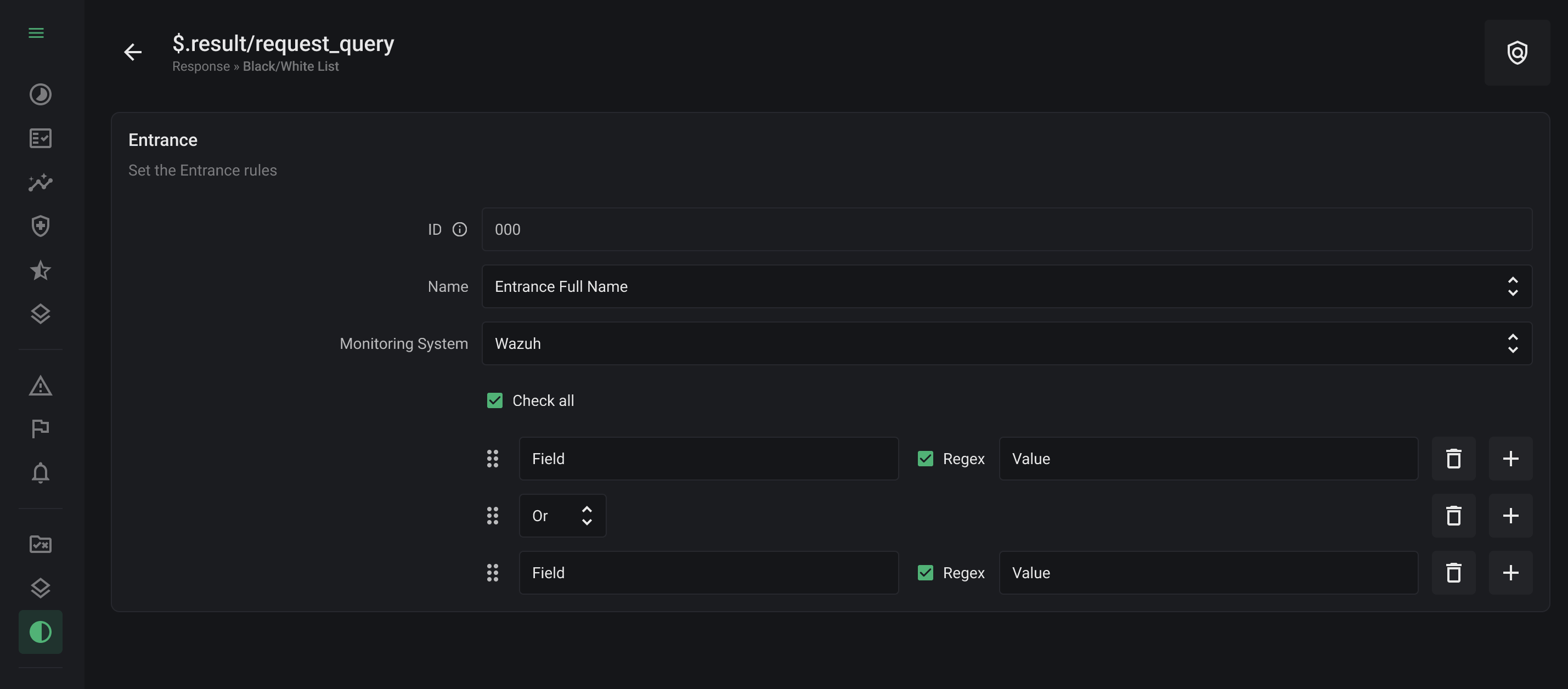
Each entry must contain:
* Name: Identifies the entry.
* Monitoring System: Defines which Security Information and Event Management (SIEM) system the rules will be applied to.
* Check All: Enables the identification of the value in any field within the alert payload. If deactivated, the identification follows the key-value rule.
* Regex: If activated, it detects patterns based on regular expressions in the alert payload; if deactivated, it can search for plain text.
* It is possible to add key-value fields to create validation groups using logical operators (and/or), thus establishing a boolean rule scheme.
Creating an Entry
For the lists to be effective, [they need to be linked to a correlation rule in the "Companies" tab during rule editing.](/response/rules/companies.md) This link ensures that the knowledge lists are applied appropriately.