> For the complete documentation index, see [llms.txt](https://docs.inopli.com/llms.txt). Markdown versions of documentation pages are available by appending `.md` to page URLs; this page is available as [Markdown](https://docs.inopli.com/rpa-soar/lists.md).
# Lists
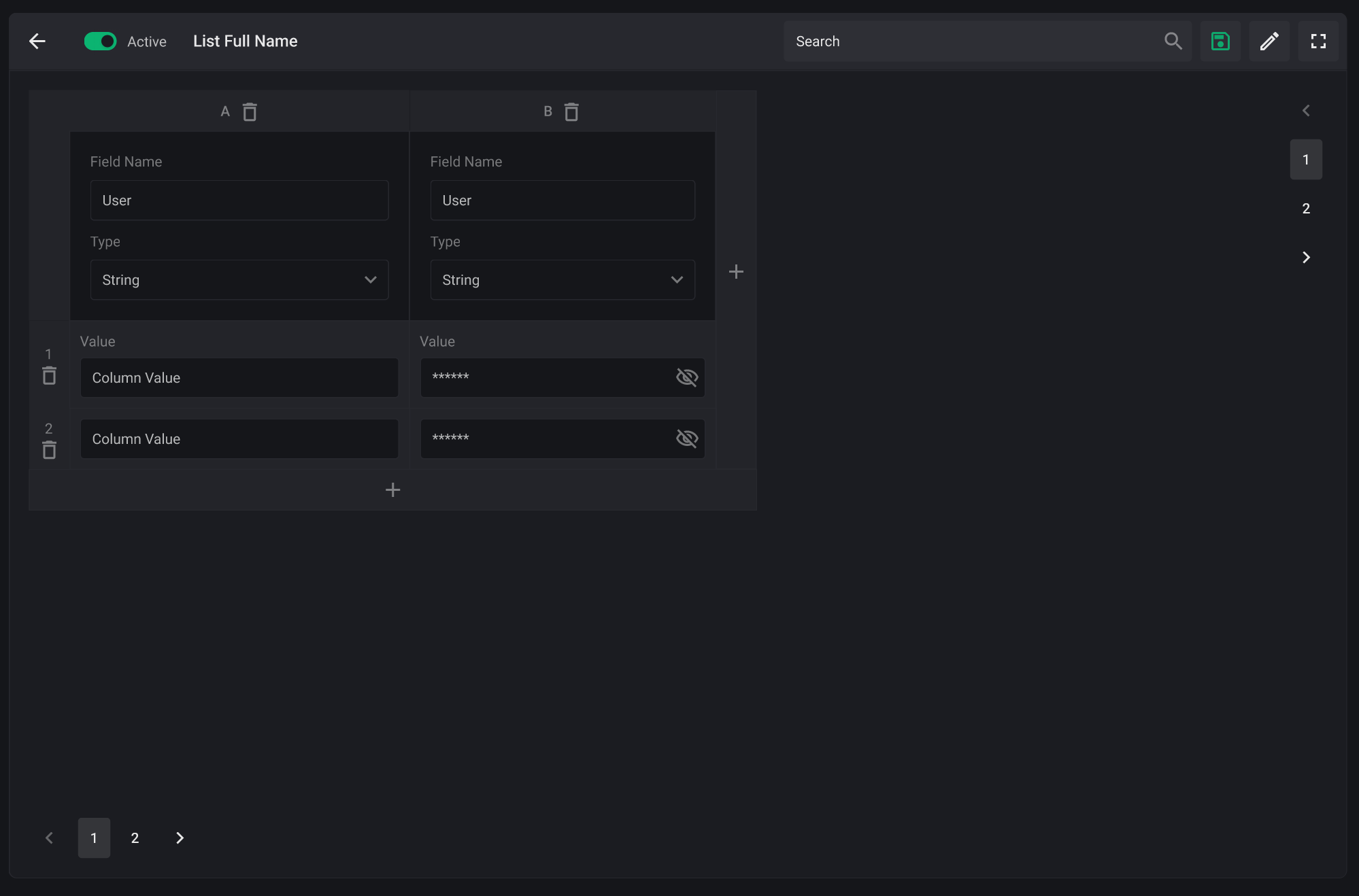
The **Lists** feature in the Inopli RPA module enables the creation of structured collections of knowledge and information that can be dynamically referenced or modified during automation or task executions. These lists act as centralized data sources such as user inventories, blocked IPs, or validated entities used to inform decisions, enhance processing logic, and enable conditional flows.
***
### **Purpose and Design**
* **Dynamic Data Sources**\
Each list can store rows of values organized in fields (columns), with configurable data types such as strings, numbers, booleans, or sensitive fields (masked). These lists provide external data context to workflows at runtime.
* **Automation-Editable**\
Lists can be both read from and written to by automations and tasks. This enables automations to evolve based on previous execution outcomes, such as updating a list of flagged users or appending newly discovered IOCs.
* **Structured and Searchable**\
List entries are paginated and searchable, with visibility into each field’s values. Fields can be renamed or deleted, and entries can be added or removed via both UI and automation logic.
***
### **Benefits**
* **Centralized Knowledge Management**\
Lists reduce fragmentation of information by providing a shared source of truth across automations, ensuring consistency in decision-making logic.
* **Runtime Adaptability**\
Automations can modify list contents as they execute, enabling the system to adapt in real-time based on live data and incident context.
* **Seamless Integration with Workflow Logic**\
Lists can be easily bound to input/output nodes in automations and components, streamlining interactions between logic and data without custom development.
***
This capability is essential for use cases requiring evolving context, such as threat intel watchlists, exception tracking, or operational allow/deny lists.